
Inventory Management
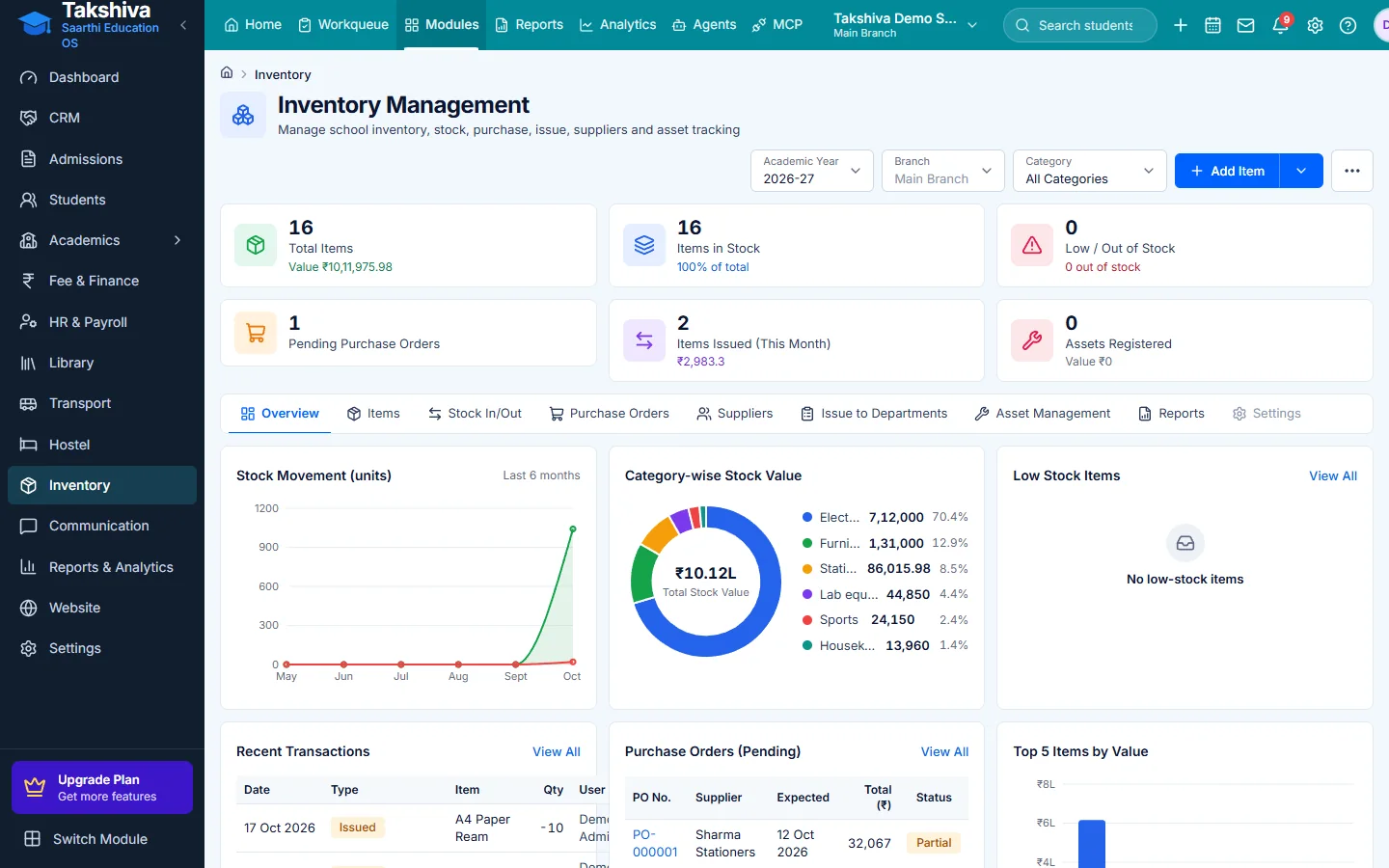
School inventory management software: know what you have, where it is
Track consumables and assets, record stock in and out, raise purchase orders and see stock value and low-stock items.
- Unlimited students
- Role-based access
- Web + Android apps
Stock you can trust
Every movement is recorded.
Low-stock alerts
Run low-stock alerts when you need them.
Valuation and registers
Stock valuation and purchase register reports.
Main features
Inventory Management features
- Items and categories
Consumable and non-consumable items, assets.
- Suppliers
Supplier records.
- Stock in and out
Stock in, stock out and adjustments.
- Purchase orders
Purchase orders with PDF and received status.
- Asset tracking
Mark items damaged or lost.
- Labels and export
Print item labels and export items as CSV.
01Inventory
Items, stock and purchasing
- Overview of stock
- Purchase register and valuation
FAQ
Frequently asked questions
Purchase orders can be listed and downloaded; the full order builder screen is still being added. Ask in a demo for the current status.
Explore more
Related modules

See it working for your institution
Book a free demo, or start a 14-day free trial, and explore the product yourself.