
Fee Management Software
School fee management software, from structure to receipt
School fee management software to define fee heads and structures, assign them to classes or students, collect payments, print receipts and follow up on dues, with a ledger for every student.
- Unlimited students
- Role-based access
- Web + Android apps
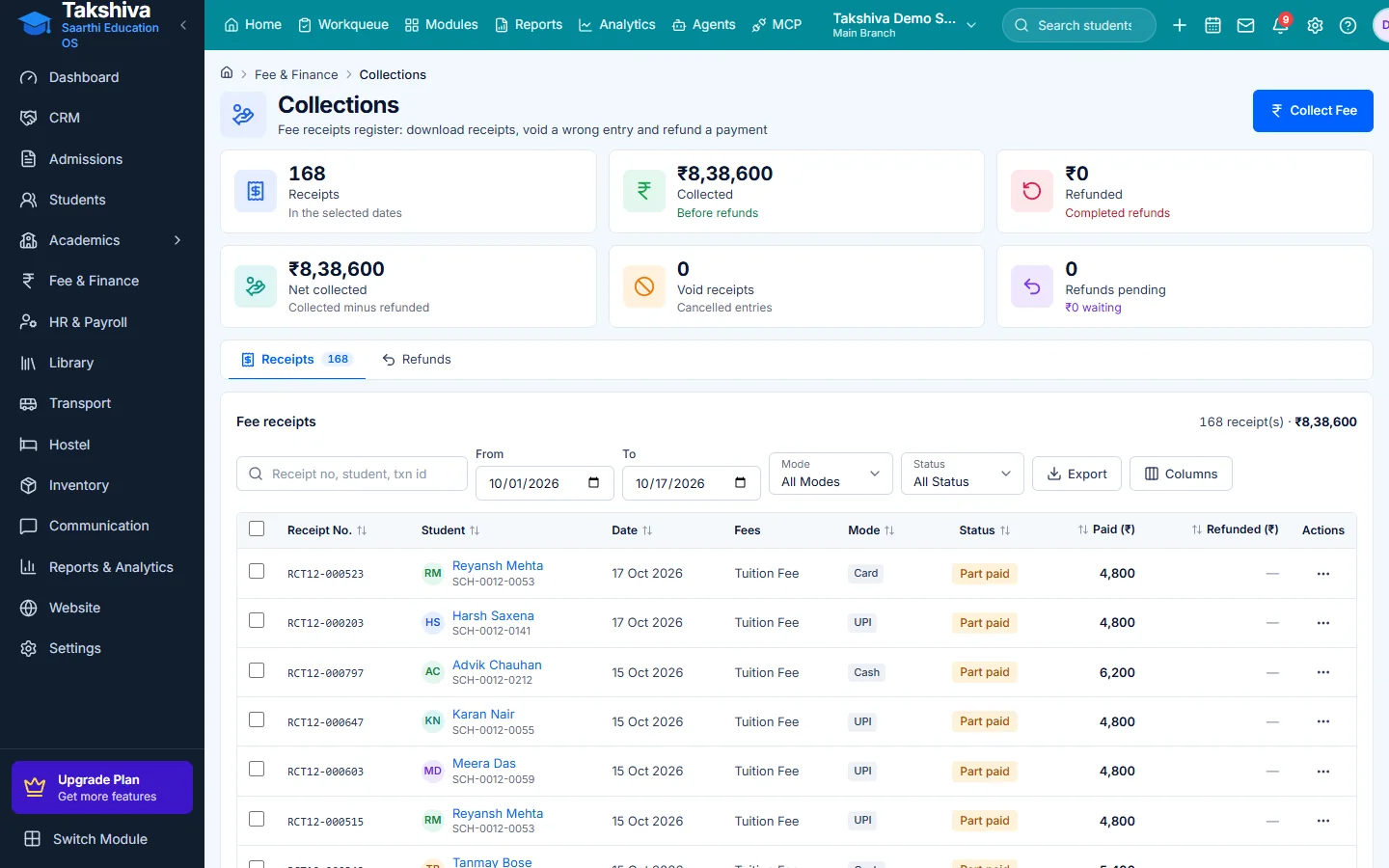
Accurate collection
Payments are recorded against the student's ledger and numbered receipts are generated.
Online payments
Parents pay online through the school's own Razorpay account.
Dues handled in time
Reminders, quiet hours and a defaulter list reduce manual chasing.
Clean records
Void and refund flows keep corrections on record instead of deleting entries.
Main features
Fee Management Software features
- Fee heads and structures
Build fee heads, group them into structures and packages.
- Assign by class or student
Preview, then assign a structure to a class or a single student.
- Collect fee
Cash, UPI, cheque, card or bank transfer, including part payments.
- Receipts
Print or download a PDF receipt, or email it to the parent.
- Online payments
Razorpay per school, with a pay link and payment status tracking.
- Reminders and AutoPay
Scheduled reminders with message templates, and UPI AutoPay mandate links.
- Void and refund
Void a receipt, or request a refund that is approved or rejected.
- Invoices and credit notes
Invoices with GST settings and credit notes.
- Scholarships
Schemes, applications, awards, renewals and a cost report.
Fee structures that match your school
- Fee heads and structures per class
- Review before assigning
- Class fee card view
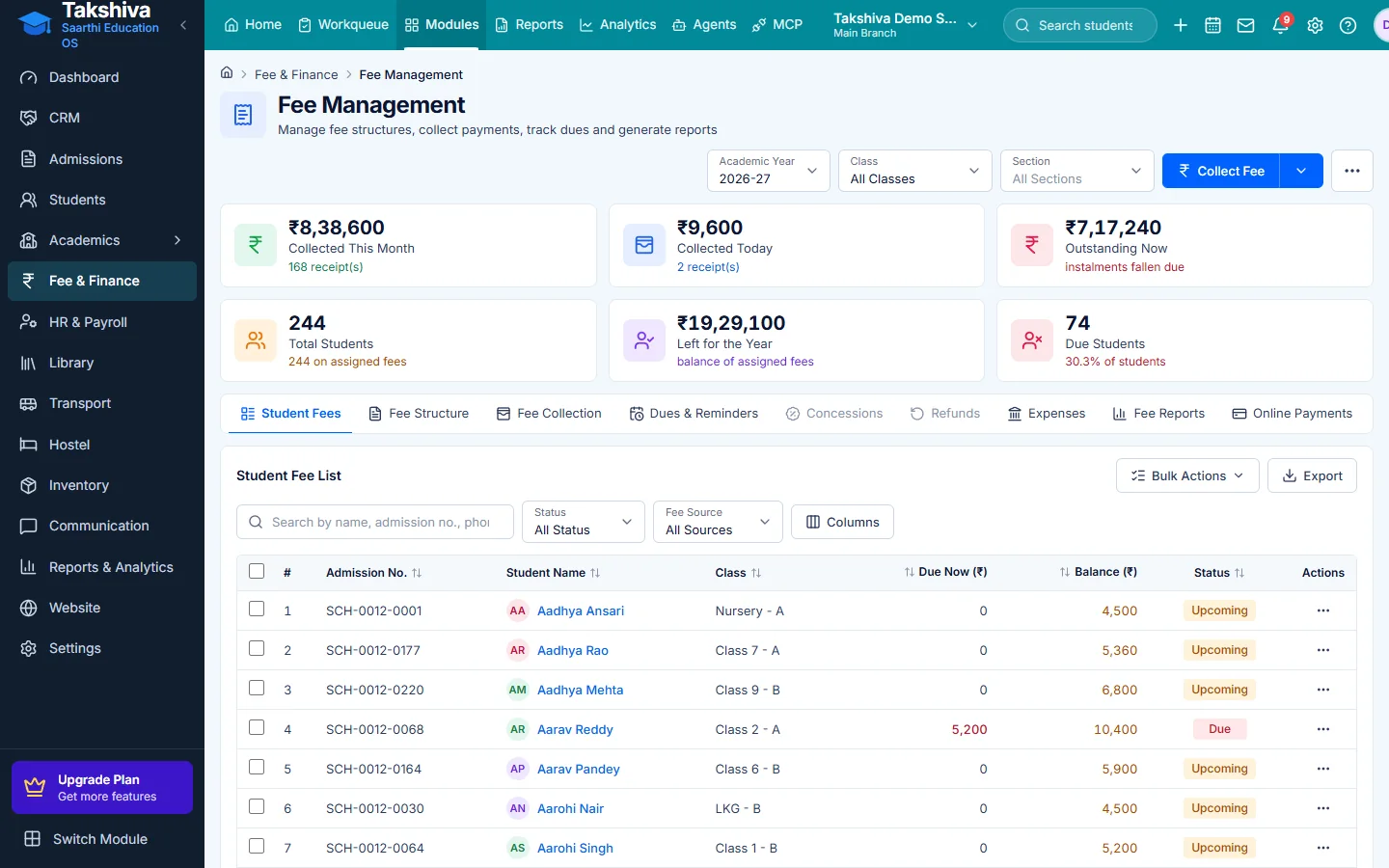
Collect and reconcile in one screen
- Search a student and collect
- Payment mode recorded on every receipt
- Online and offline payments side by side
FAQ
Frequently asked questions
Explore more
Related modules
- Accounting & Finance
Income, expenses and financial reports.
Learn more - Student Information
Keep complete student records in one central system.
Learn more - Reports & Analytics
Detailed reports and dashboards for better decisions.
Learn more - Parent-Teacher Communication
Notices, messages and alerts between school and parents.
Learn more
Related reading
Guides from our blog

See it working for your institution
Book a free demo, or start a 14-day free trial, and explore the product yourself.