
Homework and Assignments
Homework management software that everyone can see
Teachers assign homework to a class and section, students submit, and parents see what is pending. Submissions and marks stay in one place.
- Unlimited students
- Role-based access
- Web + Android apps
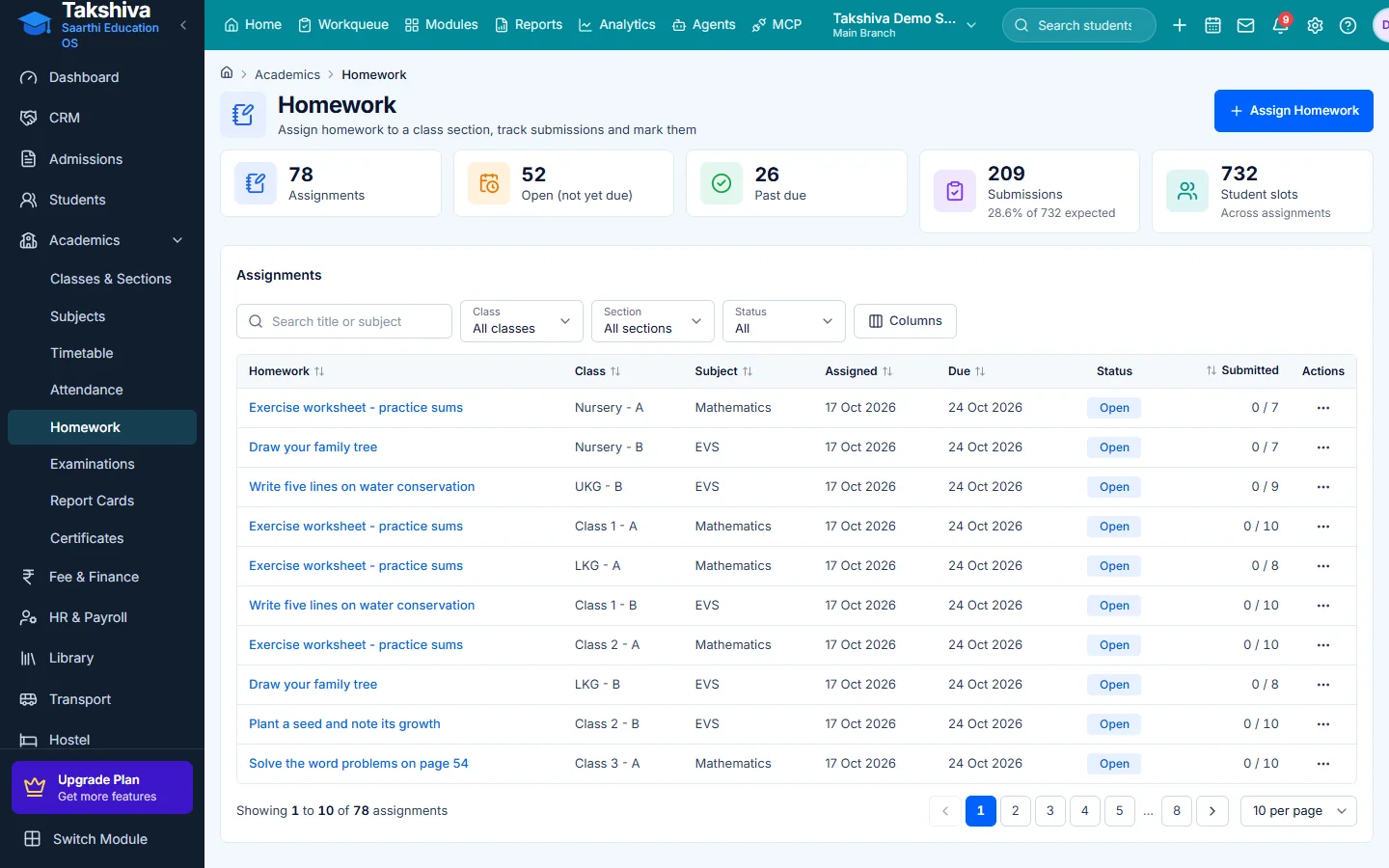
Clear tasks
Assignments are listed with due dates and status.
Parents stay informed
Parents see homework in the Parent app.
Marks and feedback
Teachers grade submissions and record feedback.
Main features
Homework and Assignments features
- Create homework
Assign to a class and section with a due date.
- Filters
Filter by class, section and open or past-due status.
- Submissions
View submissions and marks per assignment.
- Grade and feedback
Grade assignments and leave feedback in the Teacher app.
- Student submit
Students submit work from the Student app.
- AI drafts
Optional AI help to draft homework, only when an AI provider is connected.
Assign, track and grade
- Open and past-due views
- Submissions and marks per assignment
FAQ
Frequently asked questions
Explore more
Related modules
- Learning Management
Lessons and learning content.
Learn more - Timetable Management
Build class and teacher timetables and handle substitutions.
Learn more - Parent-Teacher Communication
Notices, messages and alerts between school and parents.
Learn more - Examination & Results
Plan exams, enter marks and publish report cards.
Learn more

See it working for your institution
Book a free demo, or start a 14-day free trial, and explore the product yourself.